
User:A Link between consoles/sandbox: Difference between revisions
More actions
m updated links |
m updated links |
||
| Line 4: | Line 4: | ||
==SD:== | ==SD:== | ||
===Downloads:=== | ===Downloads:=== | ||
Luma3DS version 13.4 (Latest) Click [https://github.com/LumaTeam/Luma3DS/releases/download/v13.4/Luma3DSv13.4.zip here] to download. | Luma3DS version 13.4 (Latest) Click [https://github.com/LumaTeam/Luma3DS/releases/download/v13.4/Luma3DSv13.4.zip here] to download. | ||
| Line 20: | Line 18: | ||
Create a '''"'''{{B|luma}}'''"''' folder on the root of your SD card. Inside the "{{B|luma}}" folder, create a '''"'''{{B|payloads}}'''"''' folder. | Create a '''"'''{{B|luma}}'''"''' folder on the root of your SD card. Inside the "{{B|luma}}" folder, create a '''"'''{{B|payloads}}'''"''' folder. | ||
Copy the '''GodMode9.firm''' file to the | Copy the '''GodMode9.firm''' file to the {{B|luma/payloads}} folder. | ||
===(Optional) Essential homebrew apps setup:=== | ===(Optional) Essential homebrew apps setup:=== | ||
Click [https://github.com/Nevo64/3ds-base-apps/releases/download/ | Click [https://github.com/Nevo64/3ds-base-apps/releases/download/Ver-1-0-3/CIA.zip here] to download the .cia version. | ||
Click [https://github.com/Nevo64/3ds-base-apps/releases/download/ | Click [https://github.com/Nevo64/3ds-base-apps/releases/download/Ver-1-0-3/3DSX.zip here] to download the .3dsx version. | ||
Click [https://github.com/Nevo64/3ds-base-apps/releases/download/ | Click [https://github.com/Nevo64/3ds-base-apps/releases/download/Ver-1-0-3/3ds-base-apps.zip here] to download both. | ||
Reed [[3DS:Installing software|this]] for more info on cia and 3dsx files. | Reed [[3DS:Installing software|this]] for more info on cia and 3dsx files. | ||
| Line 43: | Line 41: | ||
Luma3ds: Click [https://github.com/LumaTeam/Luma3DS/releases/download/v13.4/Luma3DSv13.4.zip here] to download. | Luma3ds: Click [https://github.com/LumaTeam/Luma3DS/releases/download/v13.4/Luma3DSv13.4.zip here] to download. | ||
===downloading the titles:=== | ===downloading the titles:=== | ||
Revision as of 08:43, 26 May 2026
 |
A CTR transfer (for the Console Cleanup section) is preferred. It is not in this guide because it uses a premade image of a different console; the goal of this guide is to get everything as clean as possible, so a premade image (which is perfectly fine for 99% of cases) is not really what this guide is for. Make sure to have a NAND backup before doing anything. |
3DS file cleanup
SD:
Downloads:
Luma3DS version 13.4 (Latest) Click here to download.
GodMode9 v2.2.3 (Latest) Click here to download.
SD setup:
extract the Luma3DSv13.4.zip file onto the root of your sd card.
copy the "gm9" folder from the GodMode9-v2.2.3-20260331144941.zip file
Create a "luma" folder on the root of your SD card. Inside the "luma" folder, create a "payloads" folder.
Copy the GodMode9.firm file to the luma/payloads folder.
(Optional) Essential homebrew apps setup:
Click here to download the .cia version.
Click here to download the .3dsx version.
Click here to download both.
Reed this for more info on cia and 3dsx files.
For the CIA version, copy the "cias" and "3ds" folder to the root of your SD card.
For the 3DSX version, copy the "3ds" folder to the root of your SD card.
Console cleanup:
Downloads:
3DNUS: Click here to download.
GodMode9: Click here to download.
Luma3ds: Click here to download.
downloading the titles:
Extract the 3DNUS ZIP file that you downloaded earlier, and then double-click the 3dnus.exe file.
you'll see this page.
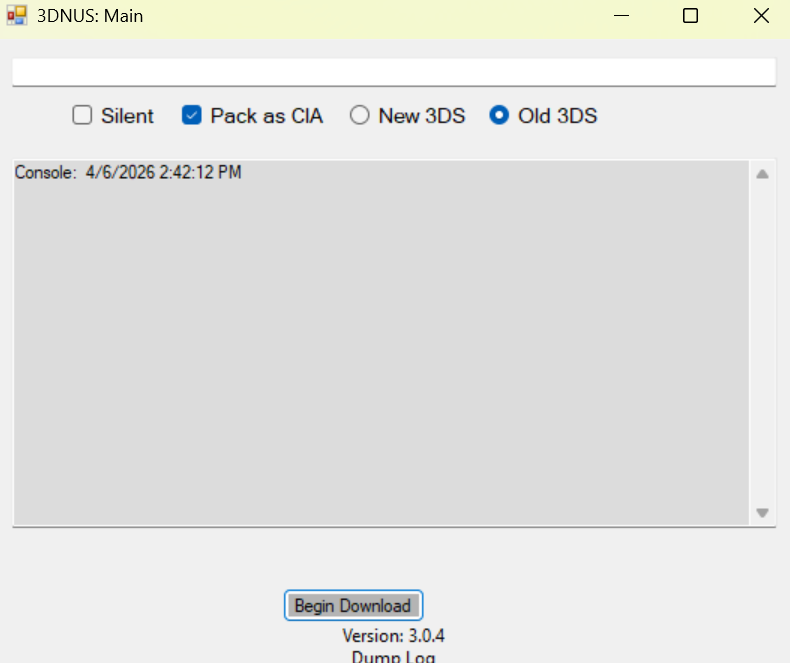
select you model "new 3ds/2ds" or "old 3ds/2ds".
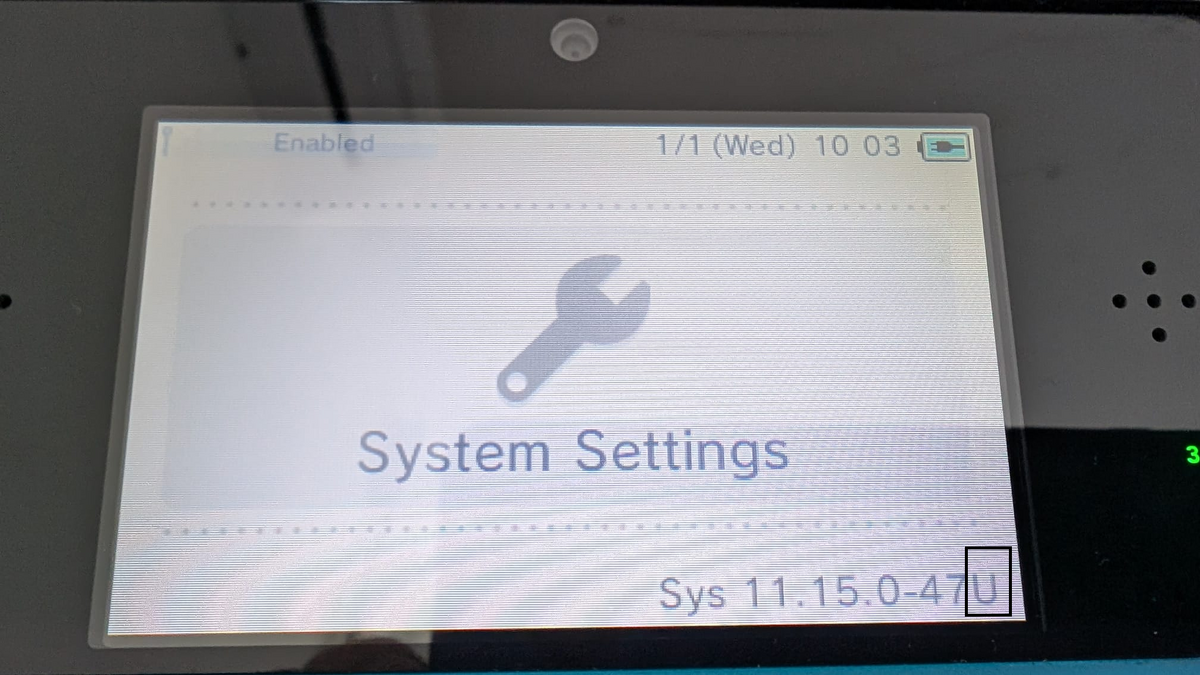
make sure that you have "pack as CIA" selected.Type 11.16.0-49 and your console's region (E for EUR, U for USA, etc.). If you don't know your region, boot up your console open System Settings. You will see your region on the top screen; use this image for reference.
Your screen should look like this.
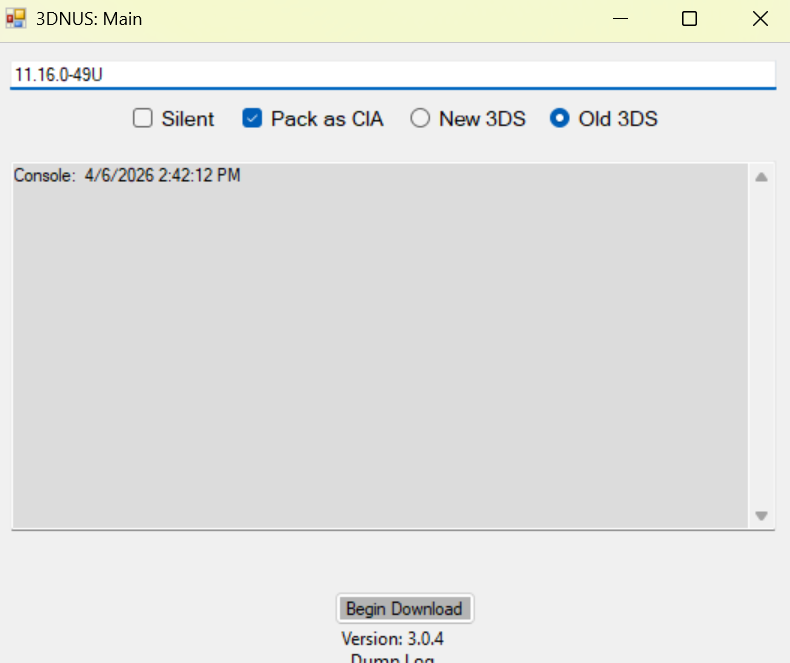
click "begin download" and wait for it to finish.
installing the titles:
insart your sd card into your console.
hold Start and turn the console on.
Select [0:] SDCARD, navigate to the 'cias' folder, then press L + D-pad Right to highlight all files.
Press Aon any file.
Select "CIA image options..." and then "Install CIA image."
Wait for the process to finish, then press Start to reboot the console.
system update
go into system settings Other settings and scroll into the lest page.
and prass System Update.
 |
You're done! |