
User:A Link between consoles/sandbox: Difference between revisions
More actions
I made a completely different page, just saving to make sure that I don't lose anything. |
No edit summary |
||
| Line 1: | Line 1: | ||
== 3DS small cleanup == | ==3DS small cleanup== | ||
=== Downloads: === | ===Downloads:=== | ||
3DNUS: Click [https://github.com/DrHacknik/3DNUS/releases/download/3.3.1_nightly/2018_7_8_1256pm_x64.zip here] to download. | 3DNUS: Click [https://github.com/DrHacknik/3DNUS/releases/download/3.3.1_nightly/2018_7_8_1256pm_x64.zip here] to download. | ||
| Line 10: | Line 10: | ||
use [https://3ds.guide this] guide to install luma and godmode9 | use [https://3ds.guide this] guide to install luma and godmode9 | ||
=== | === downloading the titles: === | ||
Extract the 3DNUS ZIP file that you downloaded earlier, and then double-click the 3dnus.exe file. | Extract the 3DNUS ZIP file that you downloaded earlier, and then double-click the 3dnus.exe file. | ||
| Line 22: | Line 22: | ||
click "begin download" and wait for it to finish. | click "begin download" and wait for it to finish. | ||
=== installing the titles: === | |||
insart your sd card into your console. | |||
hold {{Key press|Start}} and turn the console on. | |||
click {{B|A}} on sdcard and go into "cias" | |||
Revision as of 14:19, 7 April 2026
3DS small cleanup
Downloads:
3DNUS: Click here to download.
GodMode9: Click here to download.
Luma3ds: Click here to download.
use this guide to install luma and godmode9
downloading the titles:
Extract the 3DNUS ZIP file that you downloaded earlier, and then double-click the 3dnus.exe file.
you'll see this page.
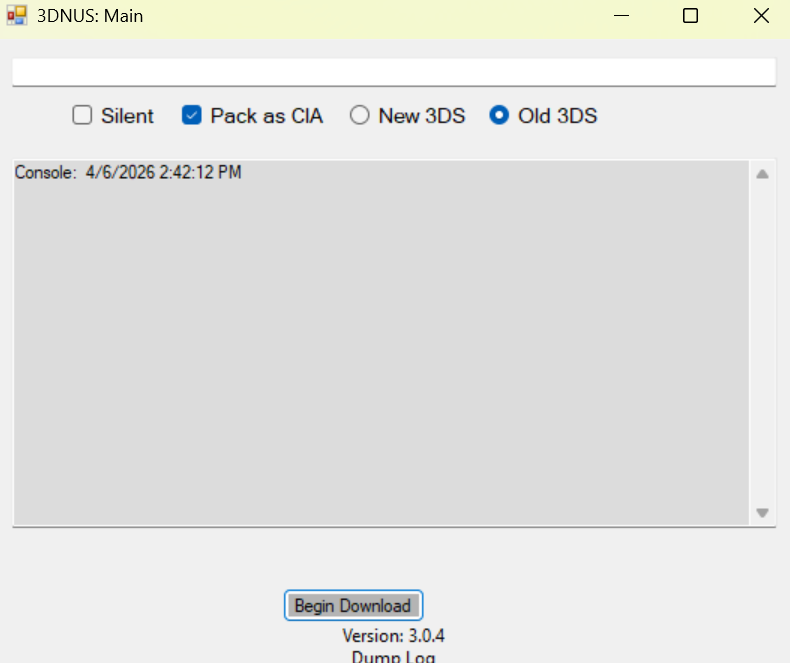
select you model "new 3ds/2ds" or "old 3ds/2ds".
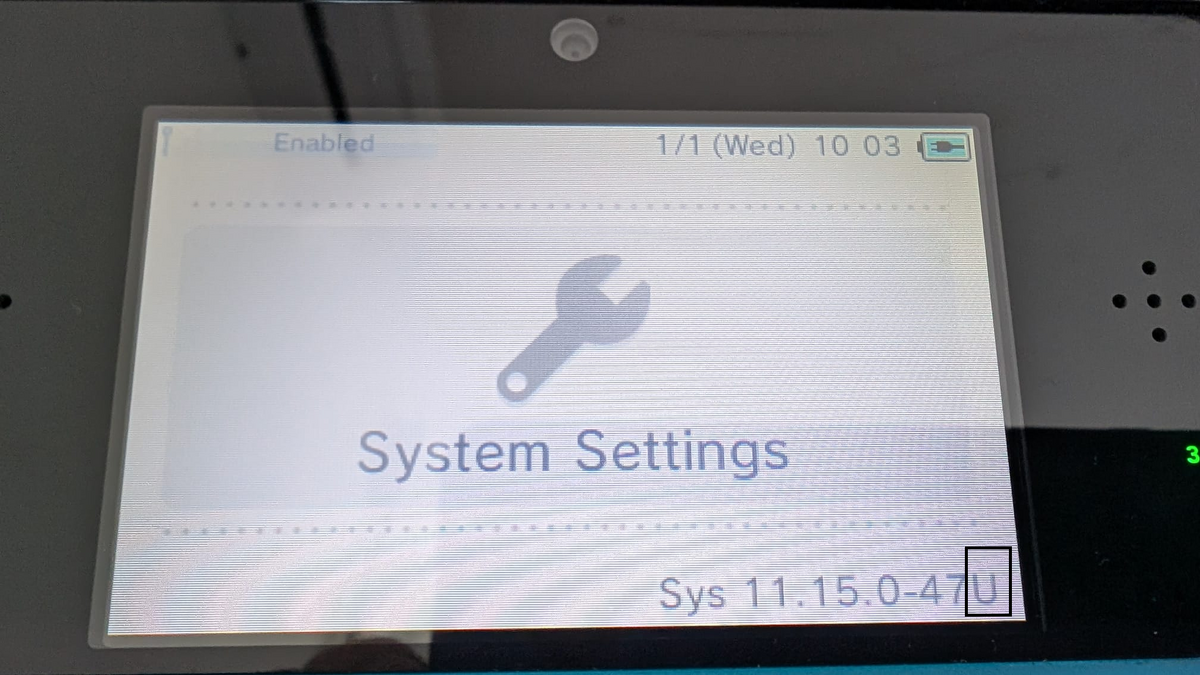
make sure that you have "pack as CIA" selected.Type 11.16.0-49 and your console's region (E for EUR, U for USA, etc.). If you don't know your region, boot up your console open System Settings. You will see your region on the top screen; use this image for reference.
Your screen should look like this.
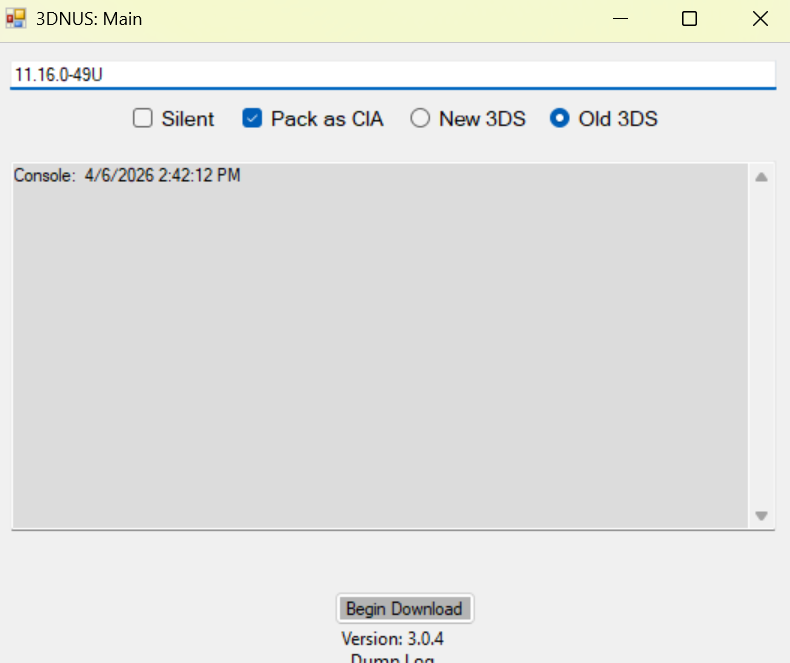
click "begin download" and wait for it to finish.
installing the titles:
insart your sd card into your console.
hold Start and turn the console on.
click A on sdcard and go into "cias"