
User:A Link between consoles/sandbox: Difference between revisions
User page
More actions
Added more content. I'm taking a break,I'll continue writing the guide later. |
I made a completely different page, just saving to make sure that I don't lose anything. |
||
| Line 1: | Line 1: | ||
== 3DS small cleanup == | |||
== | === Downloads: === | ||
3DNUS: Click [https://github.com/DrHacknik/3DNUS/releases/download/3.3.1_nightly/2018_7_8_1256pm_x64.zip here] to download. | |||
GodMode9: Click [https://github.com/d0k3/GodMode9/releases/download/v2.2.3/GodMode9-v2.2.3-20260331144941.zip here] to download. | |||
[ | Luma3ds: Click [https://github.com/LumaTeam/Luma3DS/releases/download/v13.4/Luma3DSv13.4.zip here] to download. | ||
[ | use [https://3ds.guide this] guide to install luma and godmode9 | ||
=== installing the titles: === | |||
Extract the 3DNUS ZIP file that you downloaded earlier, and then double-click the 3dnus.exe file. | |||
you'll see [https://hacksguidewiki.sfo3.digitaloceanspaces.com/hacksguidewiki/3dnus_main.png this] page. | |||
select you model "new 3ds/2ds" or "old 3ds/2ds". | |||
make sure that you have "pack as CIA" selected.Type '''11.16.0-49''' and your console's region ('''E''' for EUR, '''U''' for USA, etc.). If you don't know your region, boot up your console open '''System Settings'''. You will see your region on the top screen; [https://hacksguidewiki.sfo3.digitaloceanspaces.com/hacksguidewiki/thumb/3ds_System_Settings_manu.png/1200px-3ds_System_Settings_manu.png?20260406120929 use this image] for reference. | |||
Your screen should look like [https://hacksguidewiki.sfo3.digitaloceanspaces.com/hacksguidewiki/Image.png?20260406121149 this]. | |||
click "begin download" and wait for it to finish. | |||
Revision as of 12:15, 6 April 2026
3DS small cleanup
Downloads:
3DNUS: Click here to download.
GodMode9: Click here to download.
Luma3ds: Click here to download.
use this guide to install luma and godmode9
installing the titles:
Extract the 3DNUS ZIP file that you downloaded earlier, and then double-click the 3dnus.exe file.
you'll see this page.
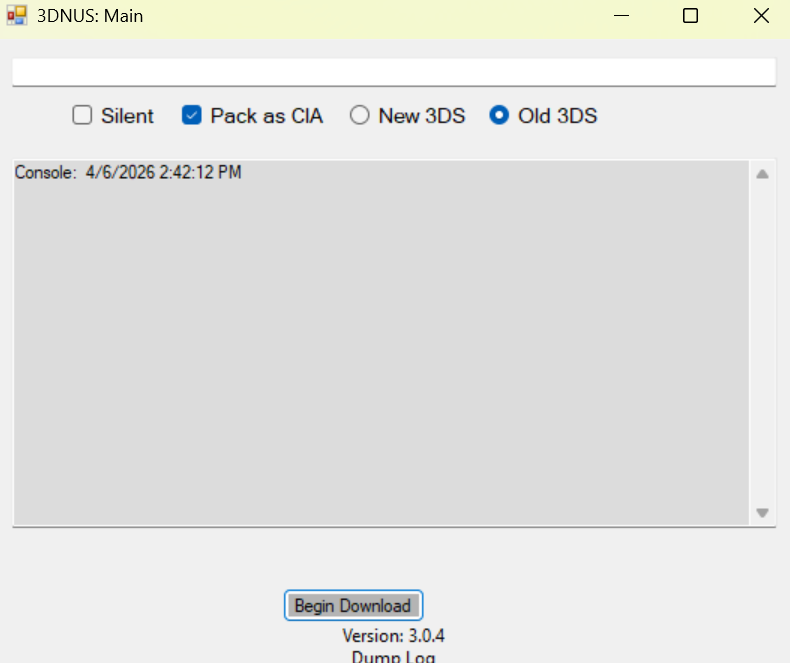
select you model "new 3ds/2ds" or "old 3ds/2ds".
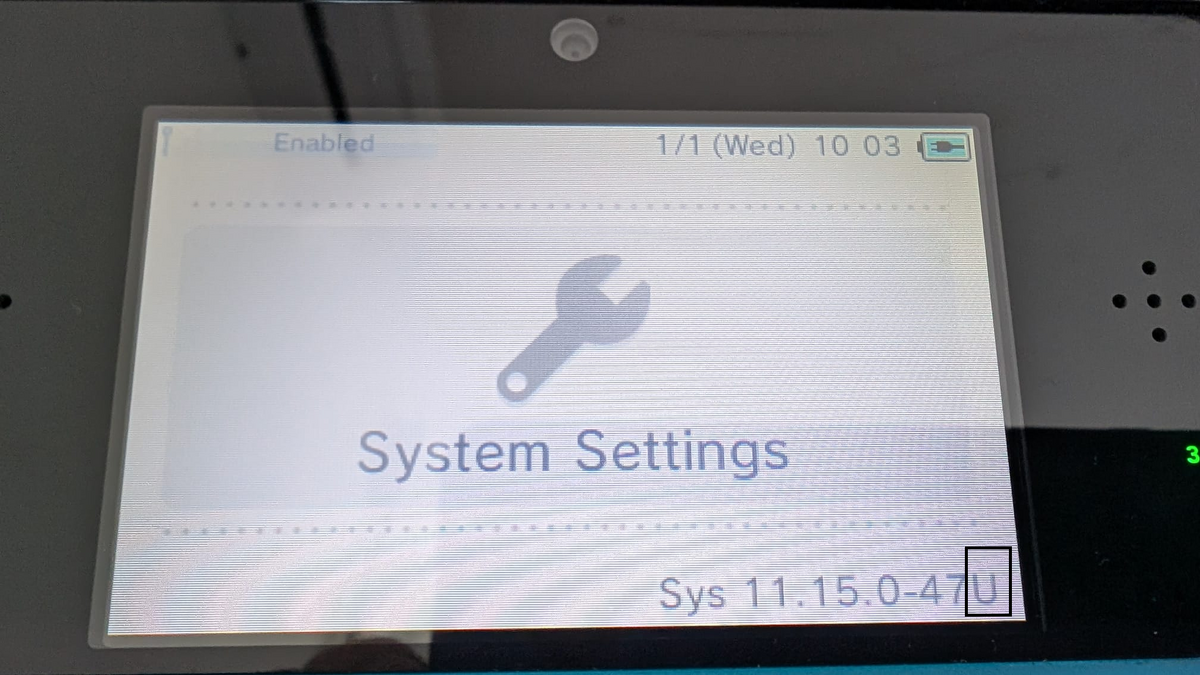
make sure that you have "pack as CIA" selected.Type 11.16.0-49 and your console's region (E for EUR, U for USA, etc.). If you don't know your region, boot up your console open System Settings. You will see your region on the top screen; use this image for reference.
Your screen should look like this.
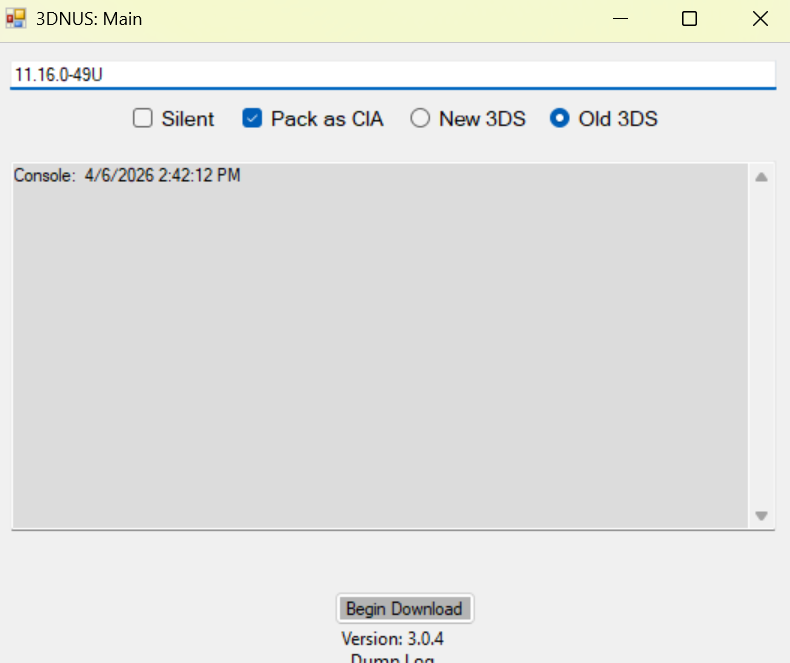
click "begin download" and wait for it to finish.